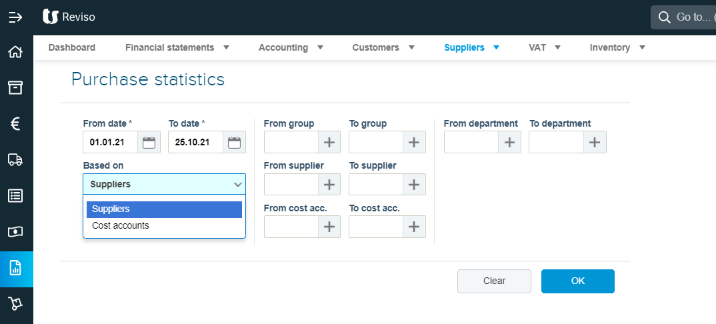
The purchase statistics report is located within Reports > Suppliers. This report can be run for all or a selected supplier and by a specific date period.
You can also run this based on cost accounts. This being the chart of accounts code you entered when you processed the supplier invoice.
If you wish to see all transactions for the period you can leave the selection boxes for group and supplier blank, this will then include all or you can run the report with more specific criteria.