To change your password, follow this short procedure:
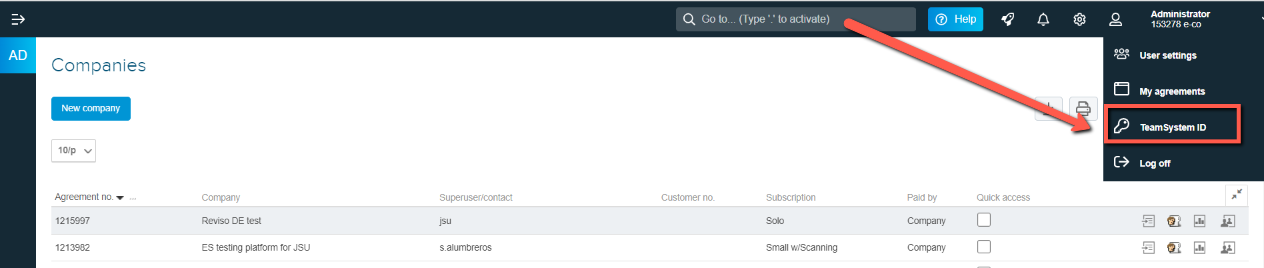
Click on My Settings
Click on TeamSystem ID
Enter your email address and click login
Here you can select to change your password
To change your password, follow this short procedure:
Click on My Settings
Click on TeamSystem ID
Enter your email address and click login
Here you can select to change your password
Did this article help you solve your issue?