Project entries can be viewed within Projects >Other setup > Project entries.
Viewing the entries from this menu option allows you to view more than one project at a time.
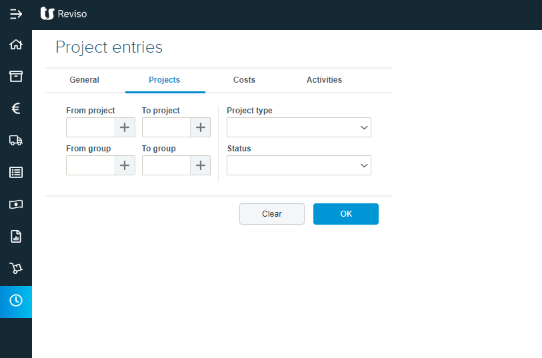
General - select cost or sales price
Projects - select by type Internal, External invoiceable/non-invoiceable
Cost - select by type, invoiceable/non-invoiceable
Activities - select by type invoiceable/non-invoiceable
Once the report is complete the information can be printed or exported to excel.
Project entries can be viewed individually via the Project ledgercard.