Before creating the activities related to the project it is necessary to create the activity groups. These are groupings that identify the types of activities carried out.
For example, if the Project relates to a new building then there will be several stages to the build. These can be grouped together and itemised as an individual activity and linked to the main group such as drawings, footings, building materials, utilities etc.
To create a new activity group go to Projects > Other setup > Activities and click on the New activity group button and indicate:
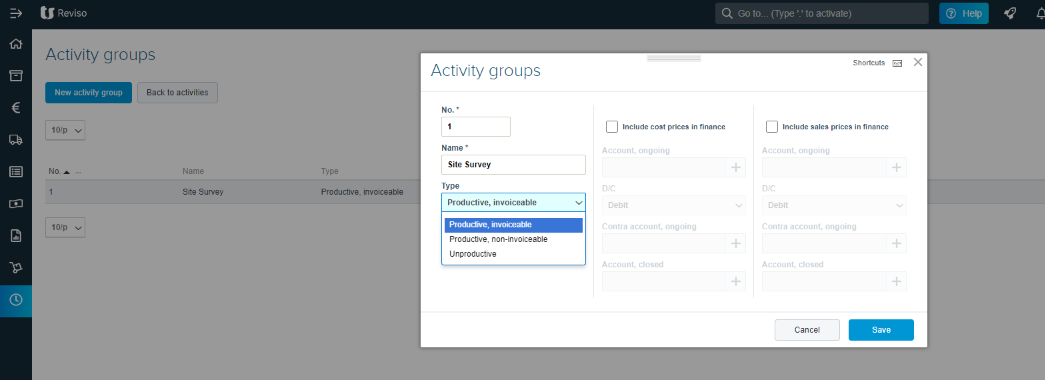
No. - create a group number
Name - give the activity a name
Type - select the type of activity:
Productive invoiceable
Productive non-invoiceable
Unproductive - these normally relate to internal activities.