Cost groups enable you to group certain costs together and charge these to one particular code within your accounts.
You can also specify whether the cost is chargeable to the client or not.
To access go to Projects > Other setup > Cost types > other options > Cost groups:
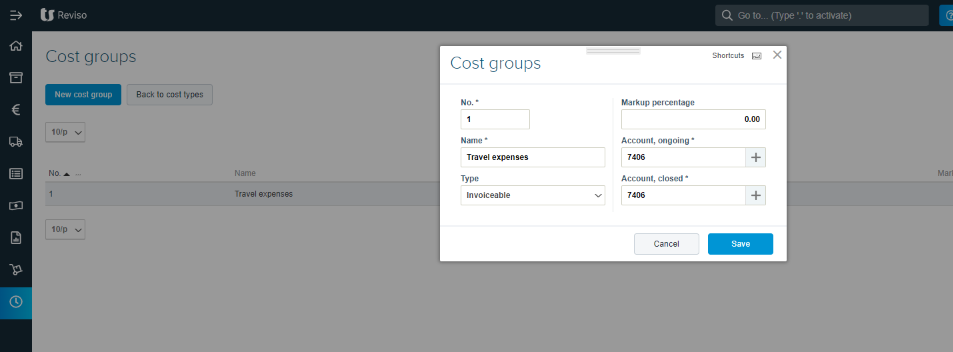
No. - enter a cost group number
Name - describe the cost group
Type - Select from Invoiceable or non invoiceable
Markup percentage - should you wish to markup the price entered on the expense by a percentage enter this here
Account ongoing - enter the chart of accounts code the cost should be reported against
Account closed - enter the chart of accounts code the cost should be reported against when the project is closed should this be different to the ongoing account number.