Project Status

Antonella
Written by AntonellaLast updated 1 year ago

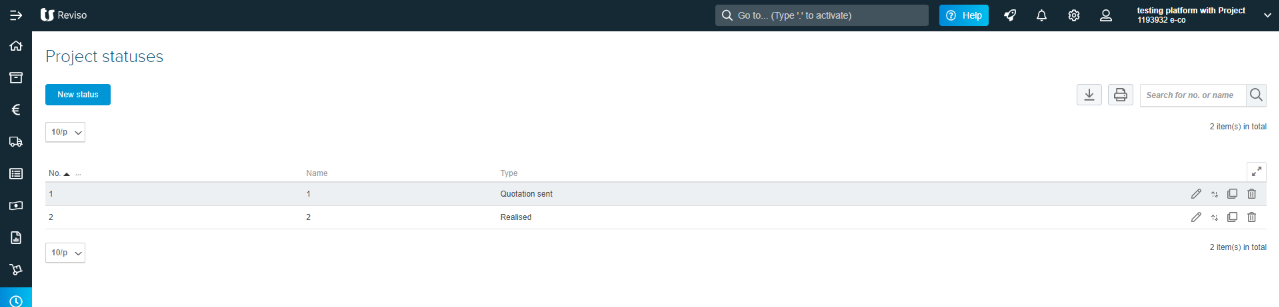
You can create a Project status which can be applied to each of your projects so at a glance you can see the stage of each project.

This is located within Projects > Other setup > Project Status.
proj+h.png?expires=1782000000&signature=71210a974fc49788352f1ba7ae45a1eb5d462c281744bb4f8d9ad11c5e875817&req=cCgjEst8m4RXFb4V1XW4gWDC%2BG%2BL9lXGWSrdDgY77XPJ4kuy%2B53gYpSjrnGR%0AV4acm3ZlsxG0jQFF7zXPnmTFBQ%3D%3D%0A

Once created you can then apply these to your projects by editing the project and then select the Additional information section.

Did this article help you solve your issue?

Reviso Guide

© 2026 Reviso Guide. All rights reserved.

Knowledge Base Software by Customerly