Project - Mileage Setup

Fabio Mirone
Written by Fabio MironeLast updated 4 years ago

Within Project you can record any mileage incurred when travelling to and from site. This can be charged to the client and a chargeable rate applied. This rate can be updated both cost and sales price along with a date should there be an increase applied.

To apply the rate go to Project > employees > other options > mileage setup
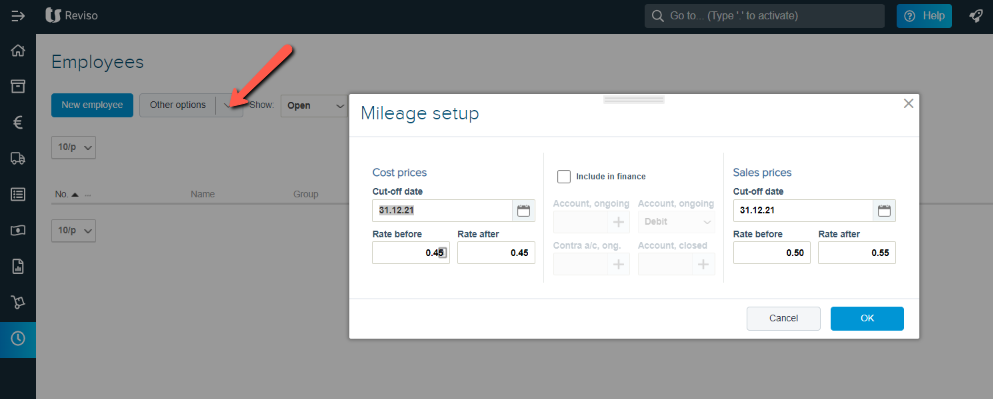
mileage+setup.png?expires=1782000000&signature=a7f70e6e79901532b11c2688368048da547585a2e1f5bb3bd1922512329d1b2a&req=cCcvEct3n4lYFb4V1XW4gV7OysXoxHfxkOFiTbYeAd7wJQSbVGkO31kulqF0%0AxiQAHO1lN%2FuWLleXv7Nix%2F0Gag%3D%3D%0A

Did this article help you solve your issue?

Reviso Guide

© 2026 Reviso Guide. All rights reserved.

Knowledge Base Software by Customerly