The Reports tab contains a predefined number of reports that you can view, print, or export in Excel (CSV) format at any time.
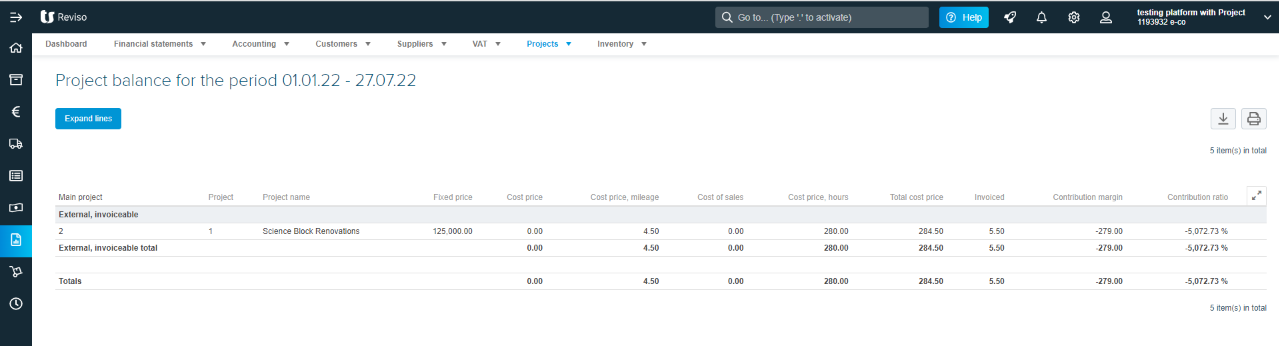
Within the Reports > Projects, you will find the List of project balances report, in which you can view all the registered costs, invoiced amounts and contribution margins for your different projects.
To view this report you will have to go to the Reports > Projects > List of project balances tab.
Enter the necessary data in the different search fields to filter the entries you wish to view. You will see that there are several search tabs to carry out more specific searches based on projects, activities or costs.
The report will be displayed on the screen with the list of all the projects that match your search.